



Custom Sell Strategy
Via the settings menu it is possible to switch between Automatic Sell Strategy or your own Custom Sell Strategy
Automatic Sell Strategy
By default, the trader works with an Automatic Sell Strategy. This Automatic Sell Strategy has been tested on historic data to calibrate the sell rule. Past performance is no guarantee.
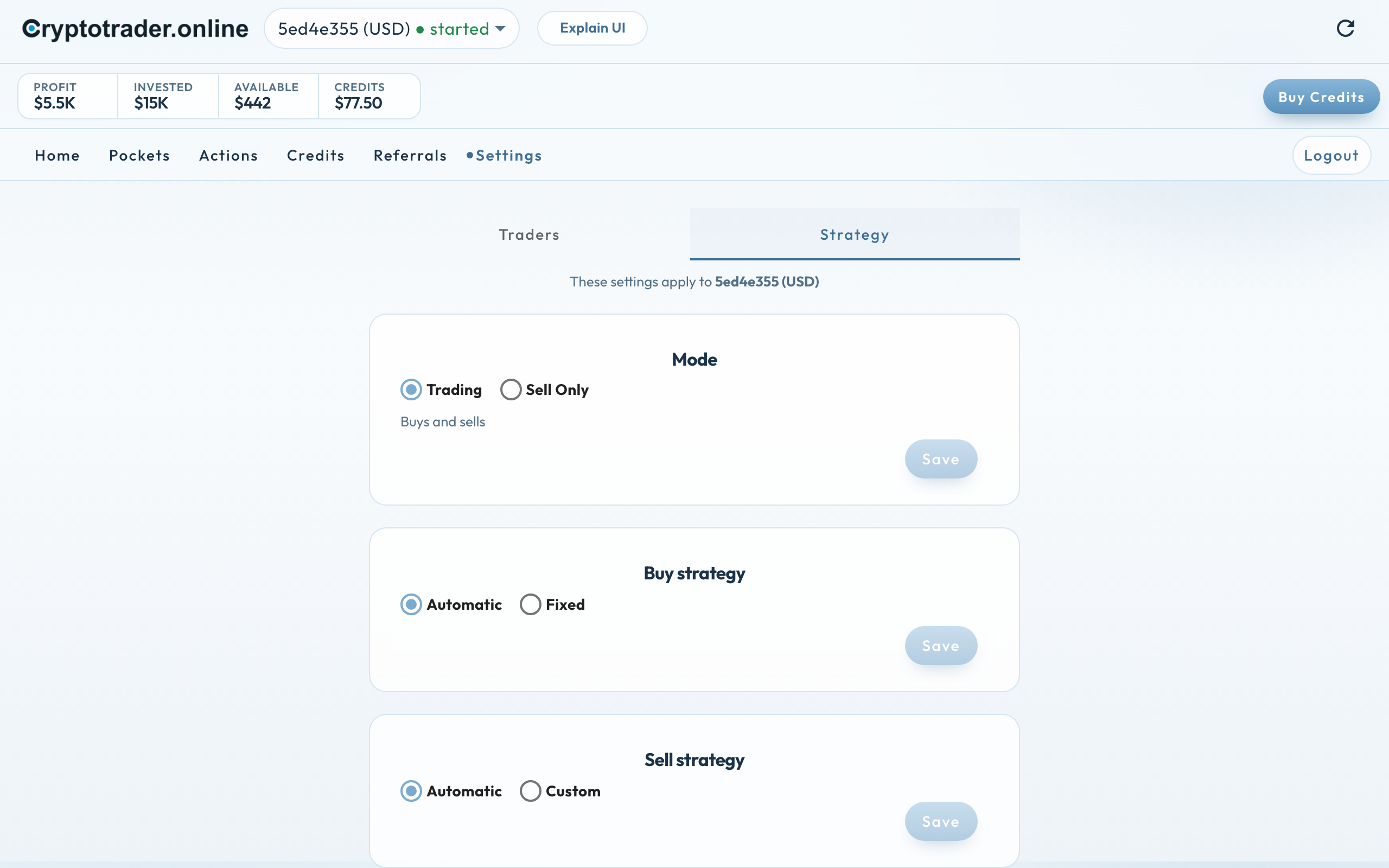
Custom Sell Strategy
For users who want to have more control over the Sell Strategy, it is possible to switch to a Custom Sell Strategy where you can adjust various parameters yourself.
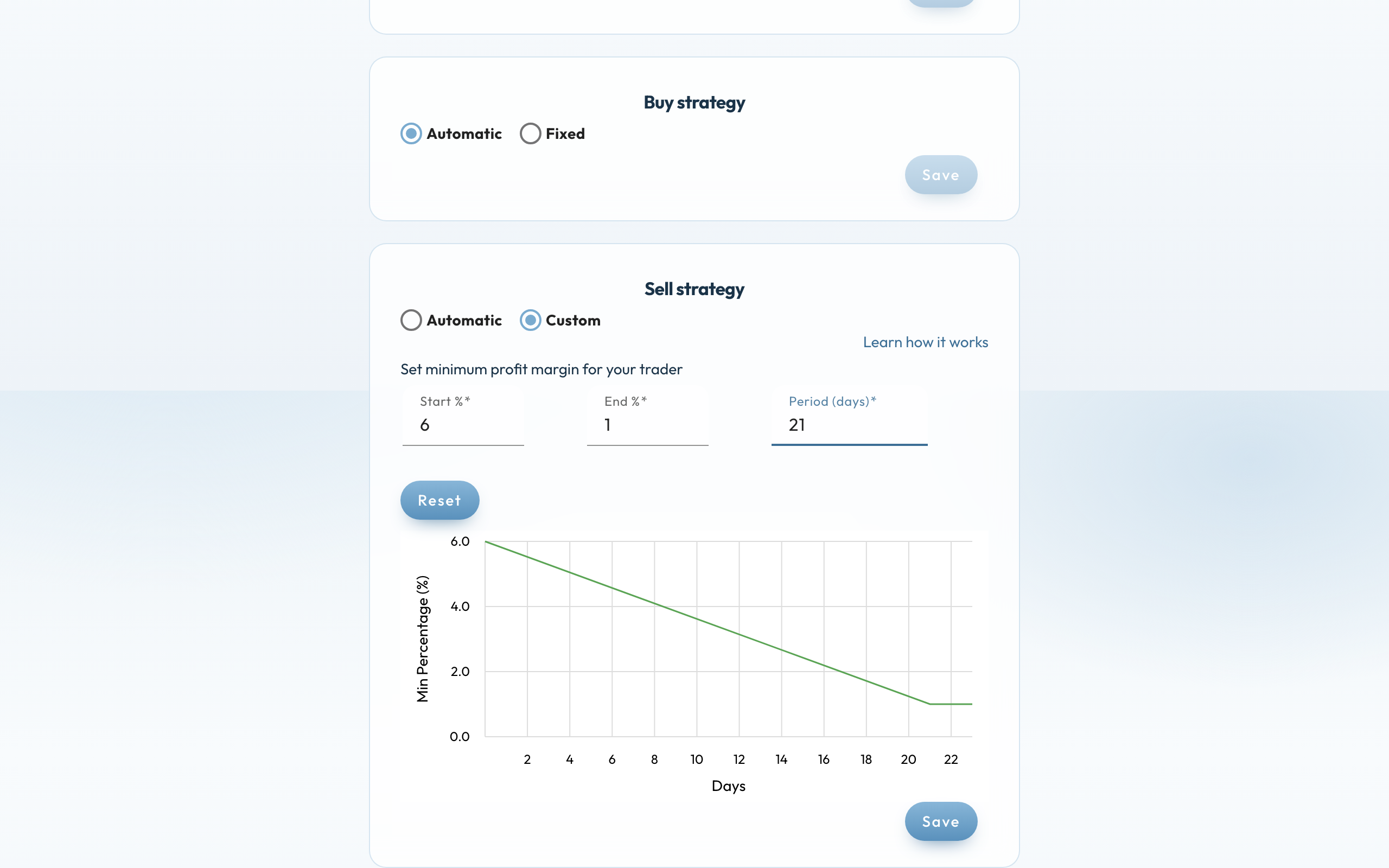
The default settings are initially the same as for the Automatic Sell Strategy.
Here follows an explanation of how it works exactly.
As explained on the page “How does it work” the trader will only try to sell at an optimal selling moment . This is determined using MACD. This remains the case even with an Custom Sell Strategy. However, in addition to an optimal selling moment, there is another requirement that the trader must meet in order to make a sale, which is a minimum profit margin that must be achieved when the sale of every pocket.
Initially (on the first day) this profit margin must be at least 6%. However, over time this requirement slowly drops from 6% to 1% over a period of 21 days. After that, the requirement remains 1%.
The idea of this is that if the price fluctuations are small, the pockets will eventually be sold, while the minimum profit margin is higher at the start.
With the Custom Sell Strategy you can change the minimum profit margin on the 1st day, the minimum profit margin at the end of the period and the period in days itself. Here’s an example:
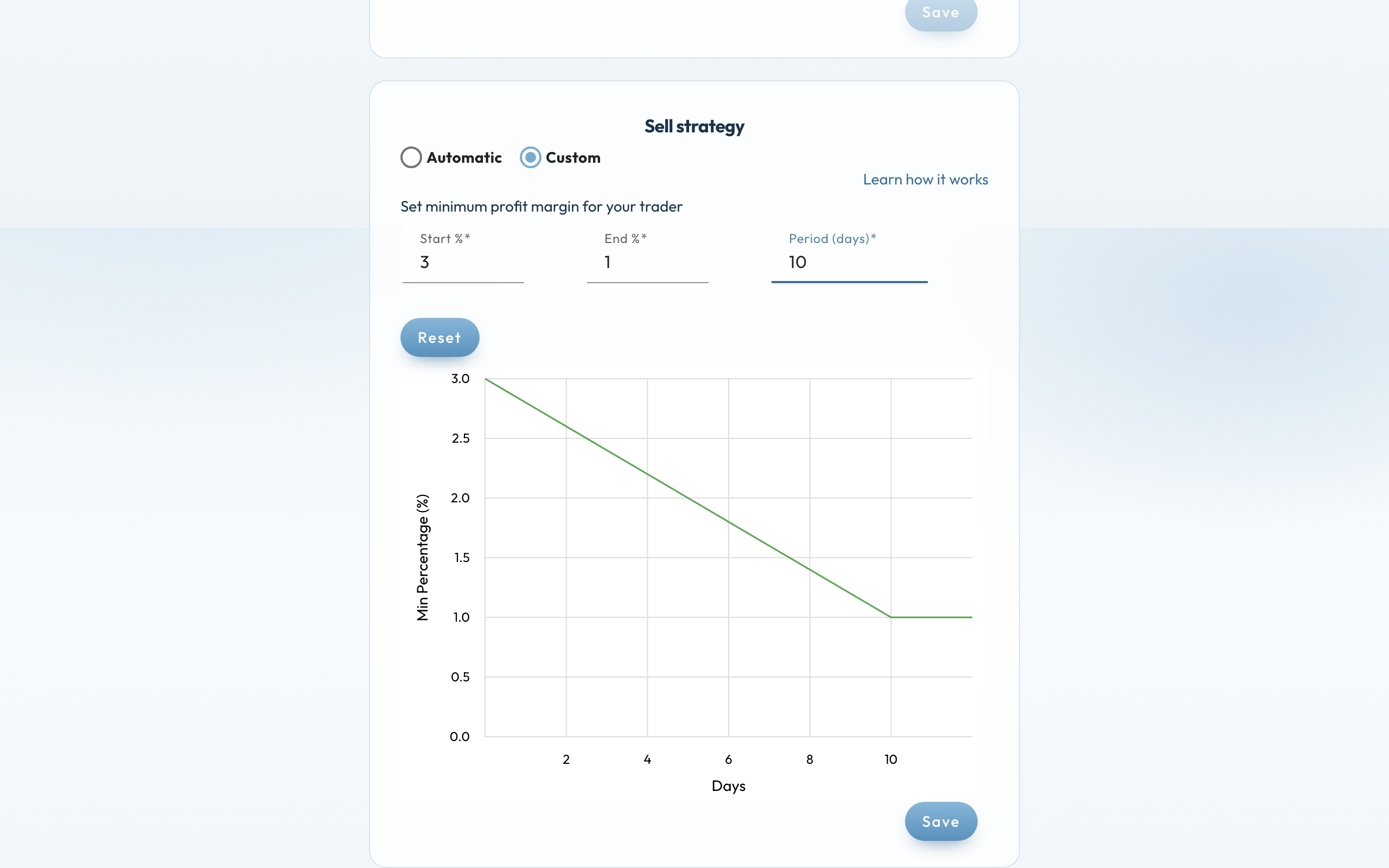
In this example, the minimum profit margin on the first day is a minimum of 3%, and at the end of the 10-day period, this requirement is 1%. The effect of this is that the trader will switch to selling pockets more quickly, but you do run the risk of making less return because your minimum profit margin requirement is lower.
Once you have adjusted the parameters, you will see a graph showing the effect of this over time. When you are satisfied with the new parameter, press the “Save” button. The values are saved and the trader will use them for the sales strategy from that moment on.
If you press the “Reset” button you will get back the original settings which are identical to the Automatic Sell Strategy. You must then press “Save” again to save these parameters.