



Kraken – Transfer Money to Exchange
Back to step 2: Create an API key at Kraken
Step 3: Transfer money to Kraken
Before the crypto trader can start trading on your behalf, it is important that there are US Dollars (USD) in your own account at Kraken.
The trader only starts when there is at least $1000 or €1000 in the linked exchange account. That is a software start condition, not a recommended deposit for return. See the FAQ.
Advice: Never invest more than you can afford to lose. This applies to every investment. There is always a risk.
Transfer money
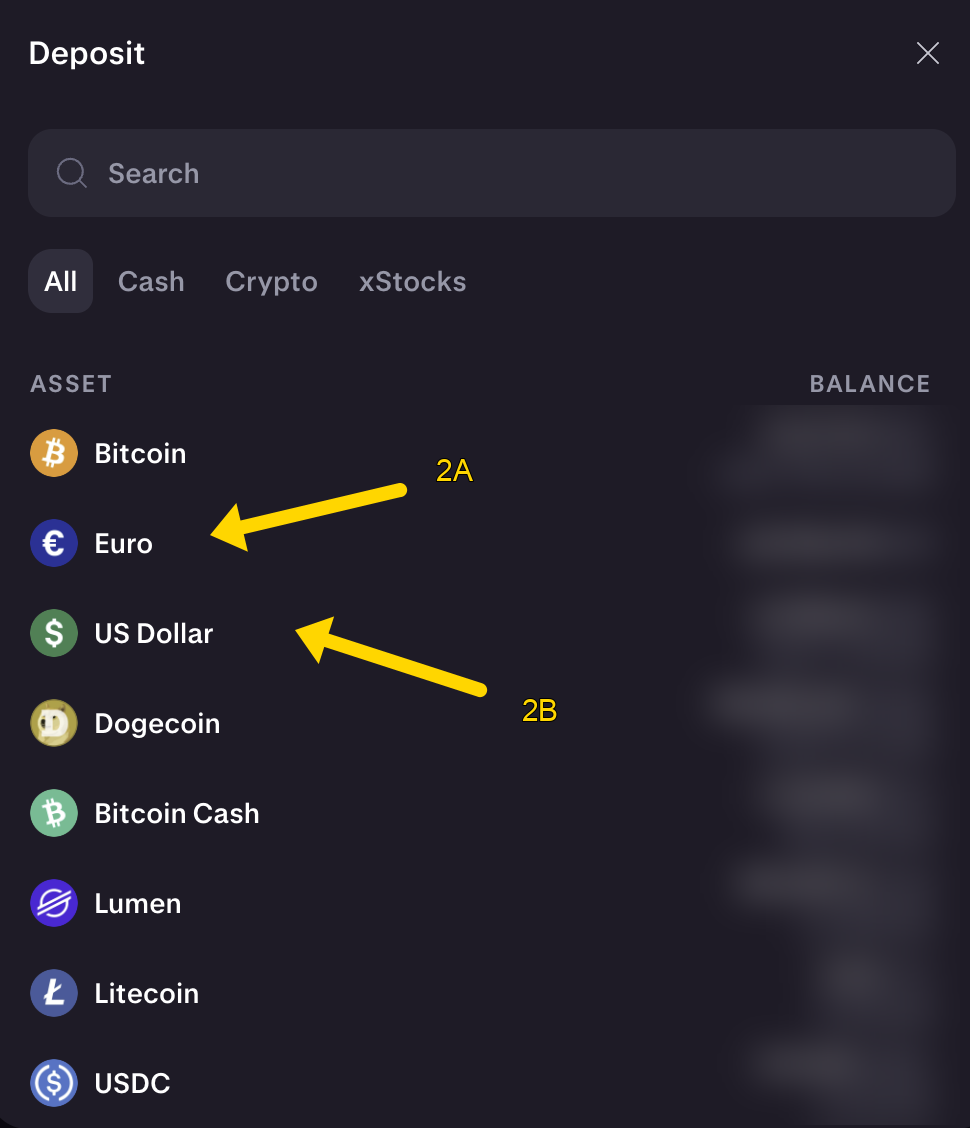
Click Deposit (1)

Choose Euro (2A) or US Dollar (2B) depending on the currency of your country
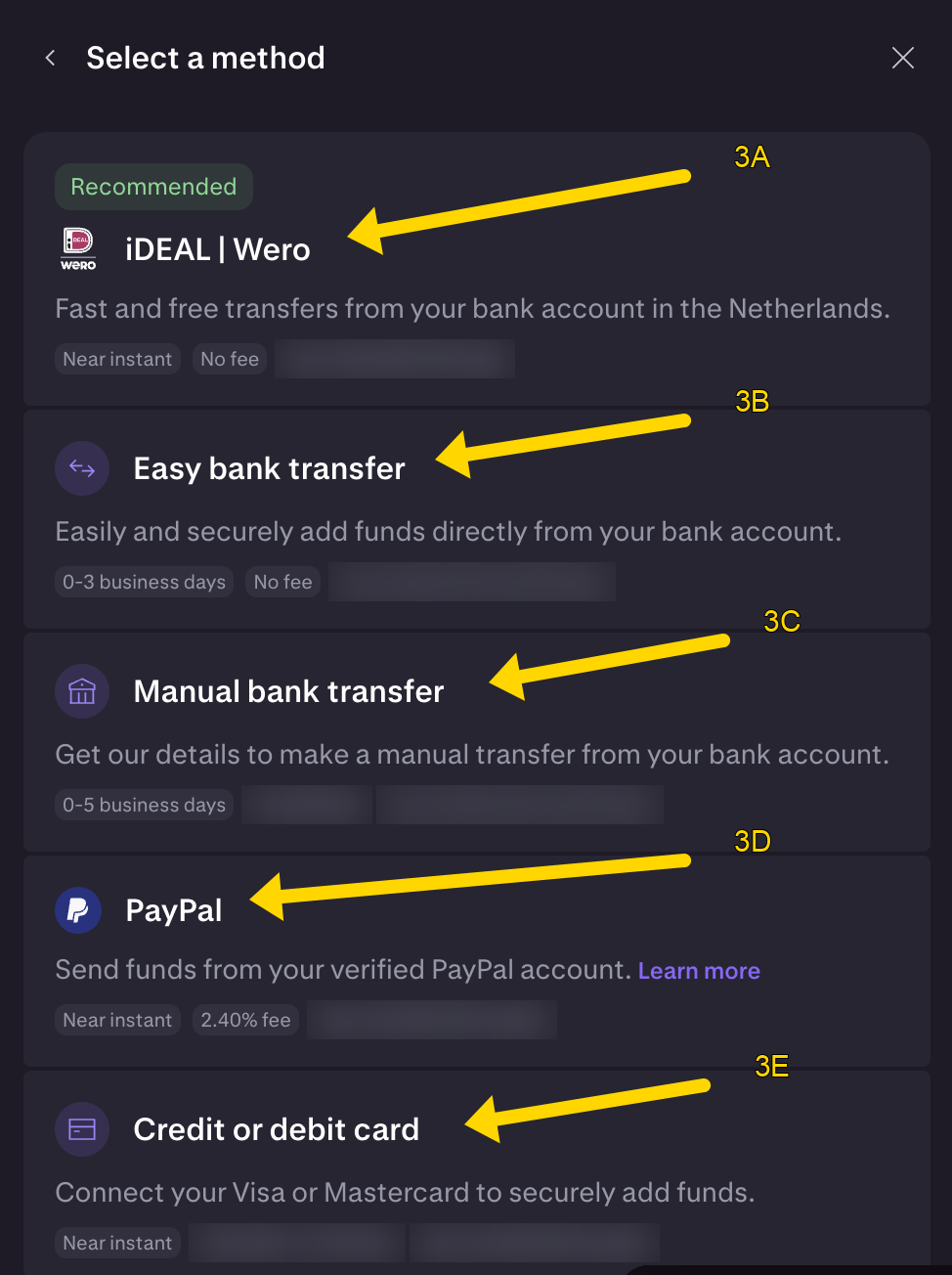
Select your preferred deposit method: iDEAL | Wero (3A), Easy bank transfer (3B), Manual bank transfer (3C), PayPal (3D) or Credit or debit card (3E).
If this is the first deposit of money on Kraken, there is a good chance that the transaction will be temporarily blocked by your bank and that your own bank will call you. This is because unfortunately there are also criminals who are active with Bitcoin. Just indicate that you are aware that the money is going to the Bitcoin exchange and that this is a conscious choice. The bank then gives the green light and the transaction is received by Kraken. This is only the first time. With subsequent deposits, the payment is received immediately.
Optional: If you have deposited Euros it is important to convert the Euros to Dollars at Kraken. Cryptotrader only trades with Dollars. See the following instructions for this: Converting Euros to USD
As soon as the USD dollars are available in your Kraken account, you can continue with Step 4: Create a trader.