



Kraken – Convert USD to Euro
If you have a European bank account you save on withdrawal costs by first converting your USD to Euros at Kraken before you make a withdrawal. With a withdrawal from USD to a European account you pay $25 in fee costs. While the fee for a withdrawal from Euros to a European account is only €0.09.
Converting USD to euros at Kraken works as follows. You place a limit order on the EUR/USD market. Buy means you buy euros and pay with dollars. That is the conversion. Sell does the opposite.
Log in at Kraken. Go to kraken.com (1) and click Log in (2).

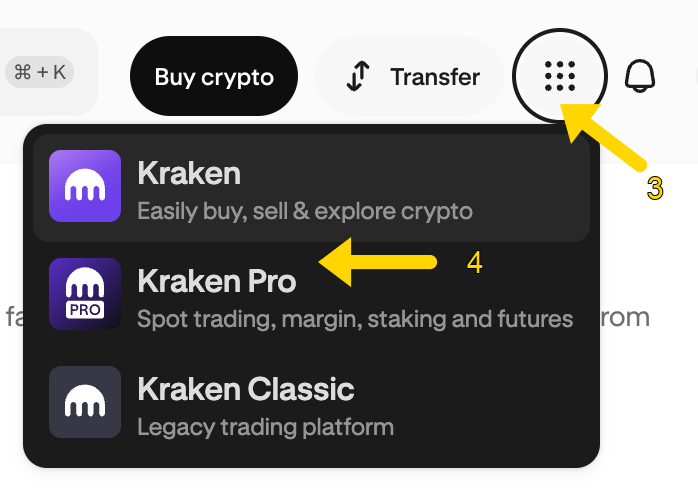
Click the 9 dots at the top right (3) and choose Kraken Pro (4).
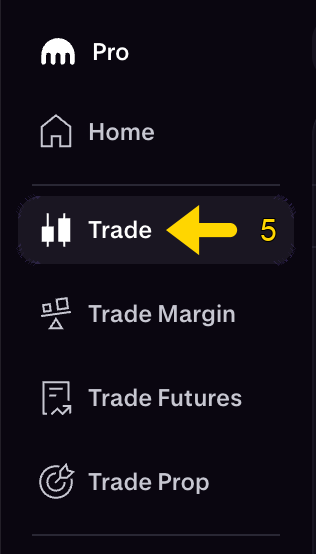
Click Trade (5) in the menu.
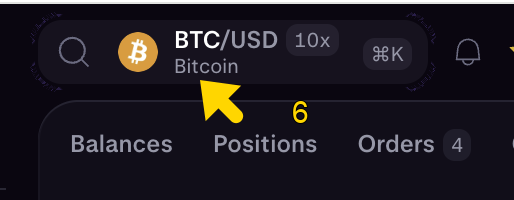
Click the current market (6). In the example it is still BTC/USD.
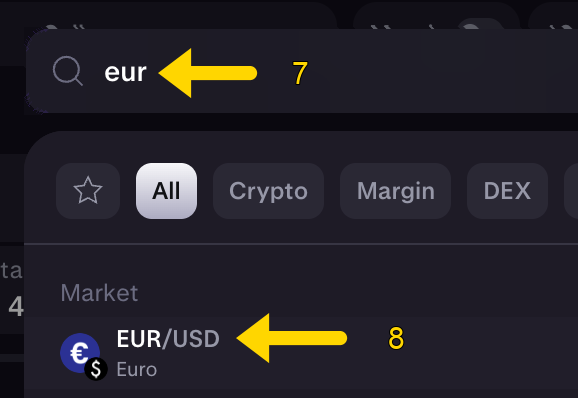
Type eur (7) and choose EUR/USD (8).
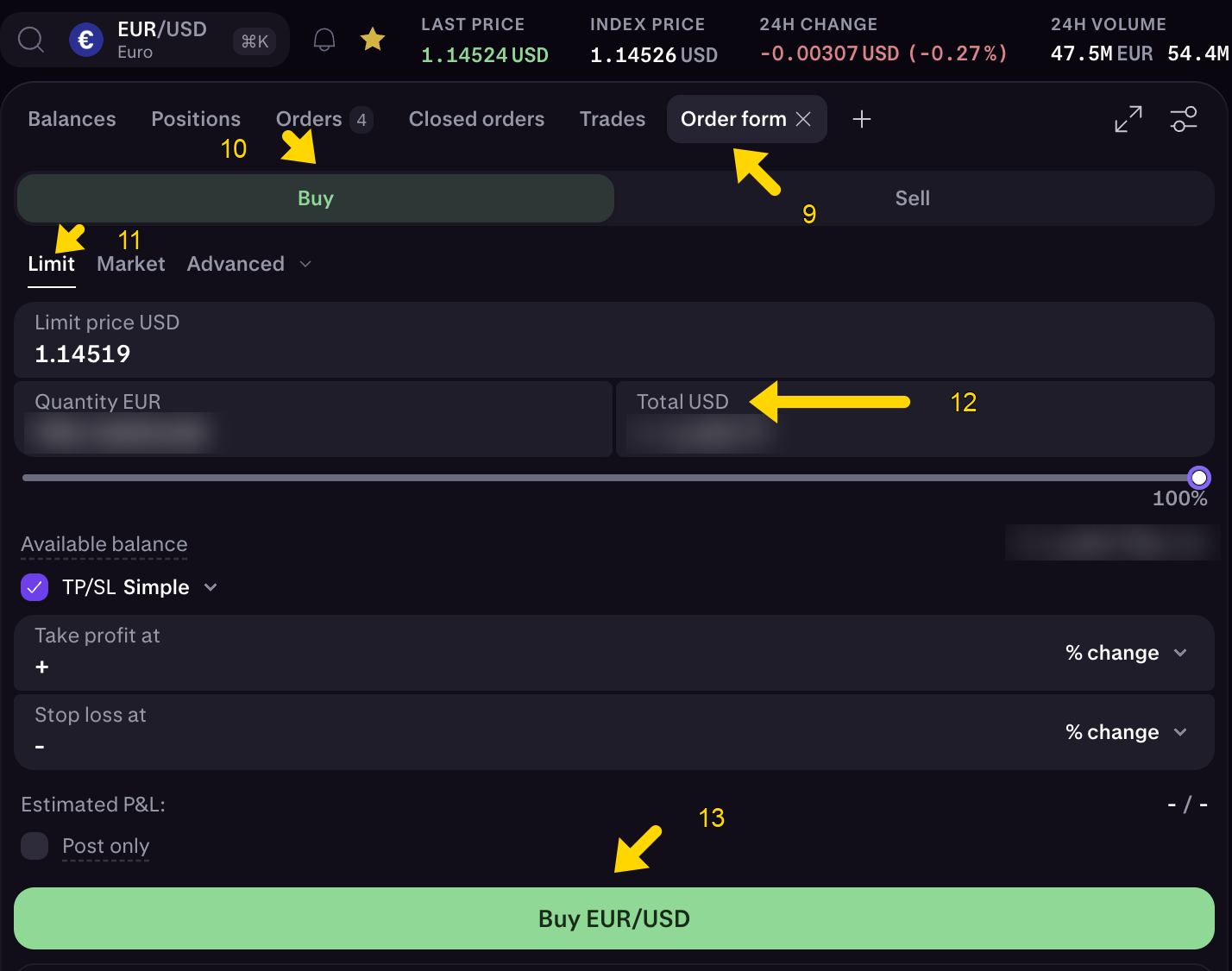
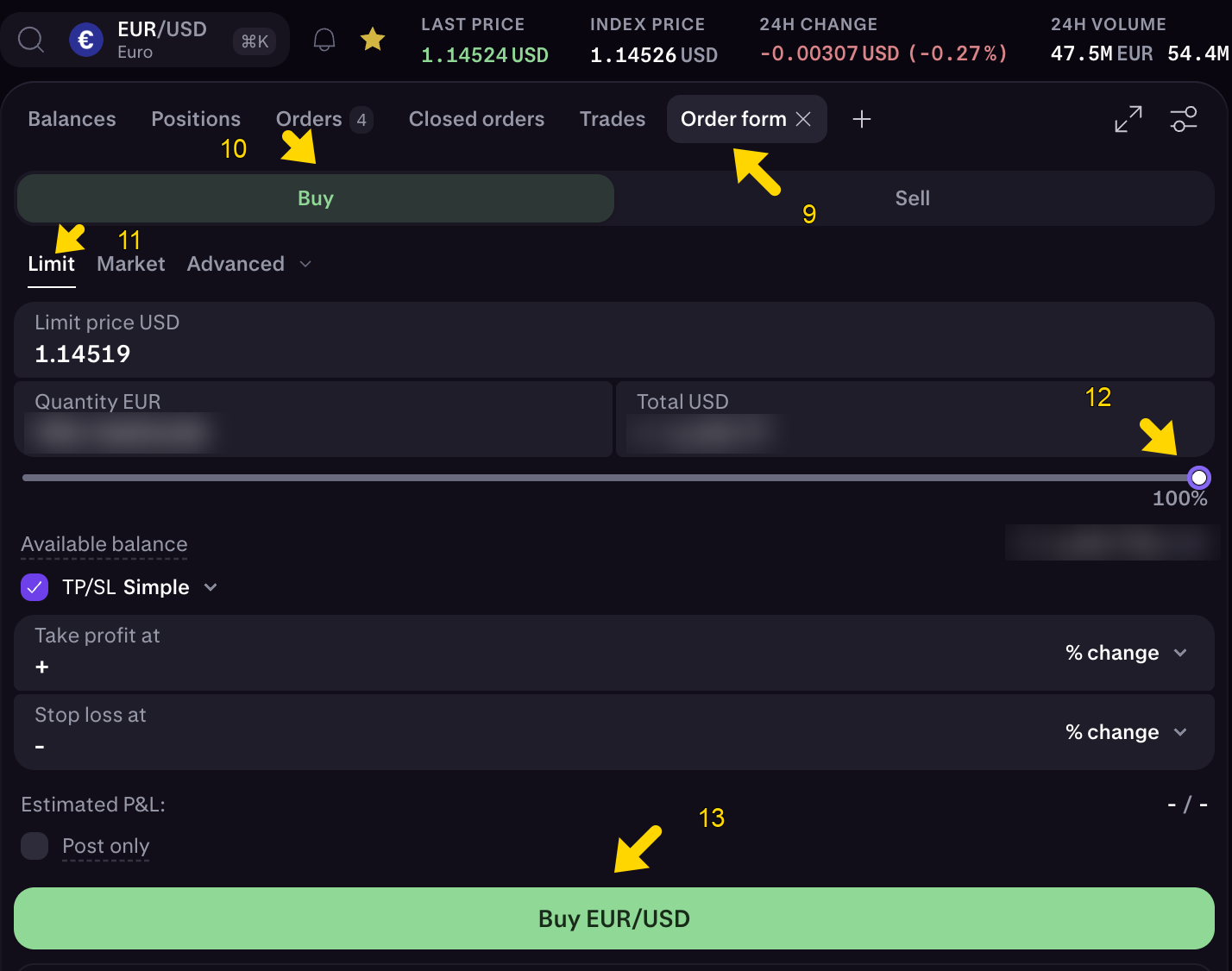
Click Order form (9) and then Buy (10). Then choose Limit (11).
Leave the limit price as Kraken fills it in, close to the last price. Also leave TP/SL and Post only as Kraken shows them.
A limit order can take longer than a market order. A market order fills at once at the price of that moment. While your limit order rests on the book, Kraken charges the lower maker fee. If the order fills immediately, the higher taker fee applies.
Part of the dollars
Use this when you want to convert part of the USD, for example profit you are taking out of the trader.
Type the dollar amount you want to sell in Total USD (12). Do not type it in Quantity EUR: that is what you receive, and Kraken calculates it. Then click Buy EUR/USD (13).
All of the dollars
Use this when you want to convert all USD on this account, for example when you switch to the EUR/BTC trader.
Set the slider to 100% (12). That puts the whole available USD balance into the order. Then click Buy EUR/USD (13).
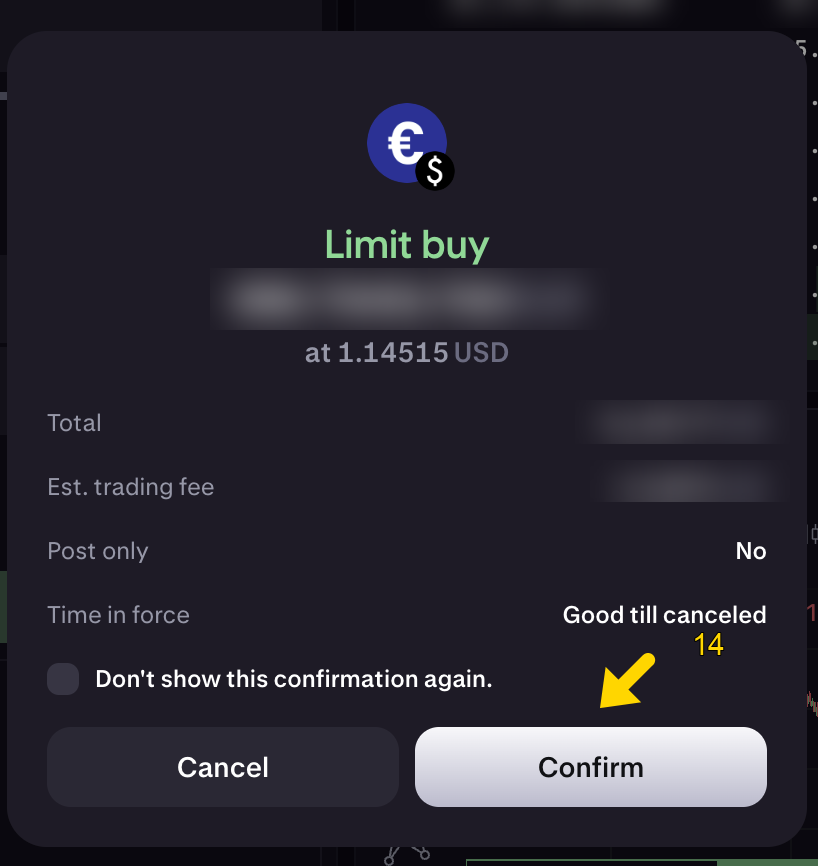
Kraken asks you to confirm. Click Confirm (14).
You should then see less USD on your Kraken account and more euros.