Credits are what you need to keep your trader running. Previously all credits were in dollars. You can now also buy euro credits for EUR traders. These are two separate pots.
If you have traders in both currencies, you first choose what you want to top up.
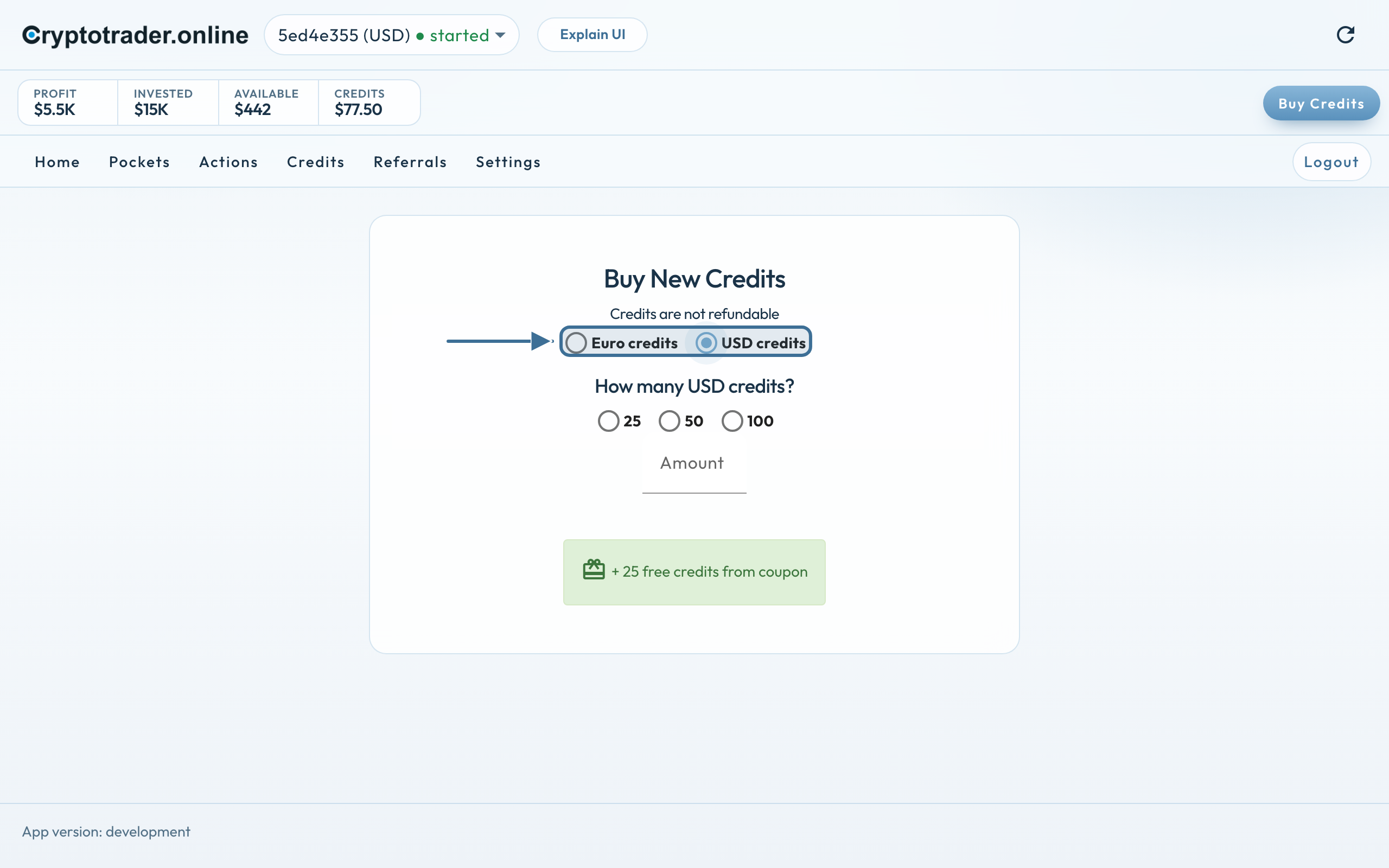
Currency first, then the amount
Tap Buy Credits at the top right (on the phone: Buy).
Choose Euro credits or USD credits.
Pick 25, 50 or 100, or type an amount yourself under Amount.
Optional: coupon or referral credits if you registered with a coupon code
Coupon and referral credits are not redeemable for cash and have the same terms as purchased credits.
Currency first, then the amount. USD is selected here.
Why two kinds?
A EUR trader uses euro credits, a USD trader uses dollar credits.
Benefit: Credits belong to your trader’s currency. You no longer have to deal with exchange-rate differences or fluctuations.
We use cookies for the website (essential, including coupon/affiliate) and, only with your consent, for statistics via Google Tag Manager. Reject does not load tracking.